
Read the system. Build what was asked for. Prove it works.
Forge is the code side of Nexora. It connects to your SAP landscape, reads what actually runs, recovers the business process from the code, turns signed specifications into working ABAP, proves the result with evidence you can hand to a change board, and records the finished journey so your users can learn it. Six stages, each one ending with a person.
- 01 · Connect
Systems
Source read-only, target write-enabled, production refused on sight.
- 02 · Scan
Land
Every custom object measured: what blocks the move, what nobody runs.
- 03 · Understand
Map
The business process recovered from the code, confirmed by its owners.
- 04 · Create
Build
Signed specification in, clean-core code out, always on a transport.
- 05 · Evidence
Proof
Criteria, tests, screenshots — a runbook for the change board.
- 06 · Train
Learn
The finished journey recorded in the live system, for your users.
Your production system is never on the table.
Forge reads from one system and builds into another. The source is opened read-only — it reads code, where-used and change history, and cannot write. The target takes clean-core code into a single package, always onto a transport. Any system that reports itself as production is refused on sight.
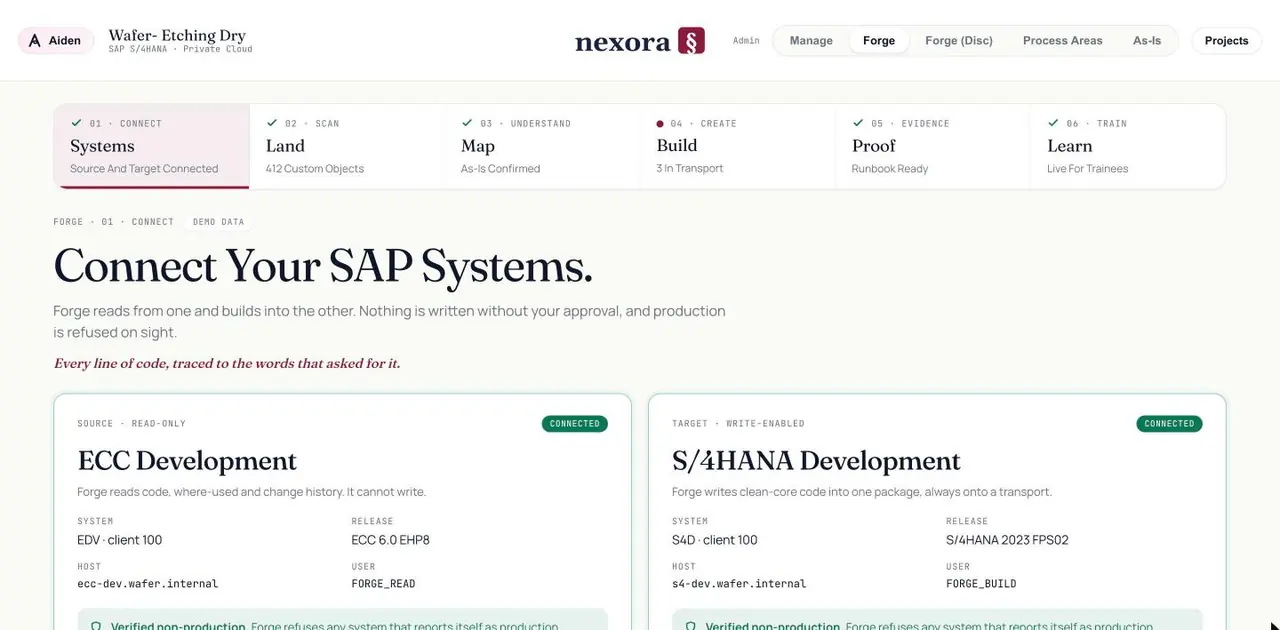
Read-only at the source
Forge reads your ECC system. It has no write path to it at all.
One package, always on a transport
Everything Forge writes to the target lands in one named package and moves through your own transport process.
Models are opt-in, per project
Landing and scanning need no model whatsoever. Mapping and building do, so it stays off until you decide — and when it is on, two providers are compared and the run is recorded in the project log.
412 custom objects. 138 haven't run in a year, and 5 will stop your move.
Forge lands on the system and measures every custom object: how ready it is for S/4HANA, what it blocks, how often it runs, how much it has changed. Two of the five blockers in this landscape had not run in a year — retiring them is cheaper than fixing them, and you only know that because the usage was measured.
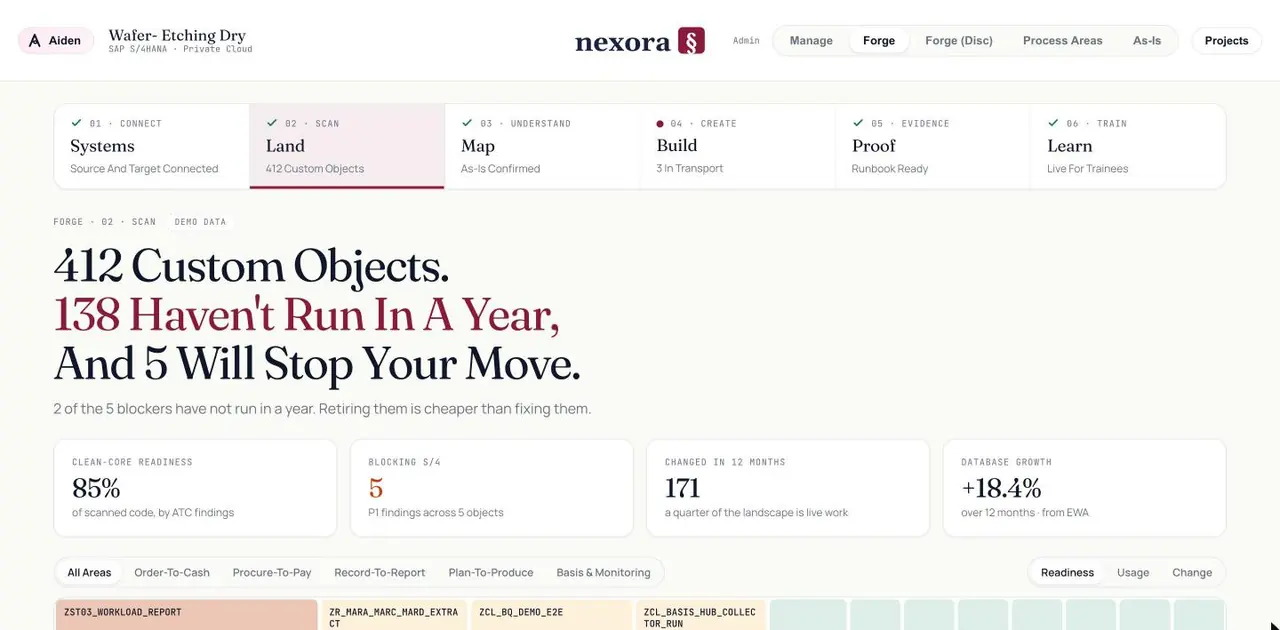
clean-core readiness, from ATC findings on scanned code
P1 findings that block S/4HANA, named object by object
objects changed in twelve months, a quarter of the landscape
How your business actually runs, read out of the code.
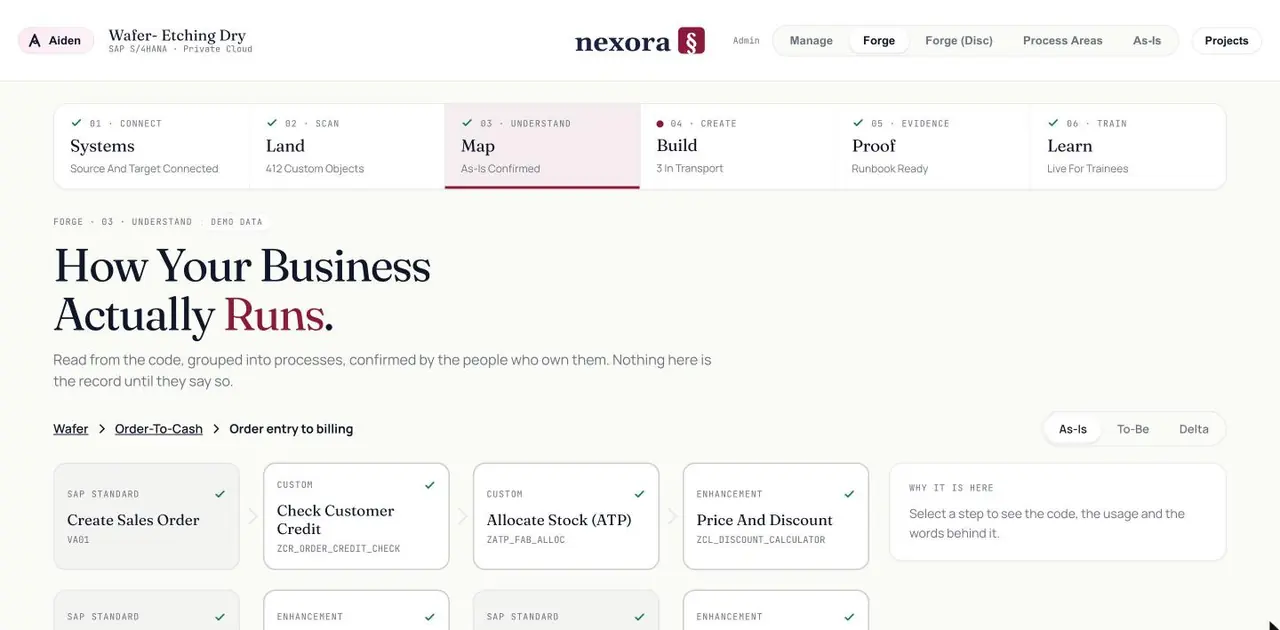
Forge groups what it scanned into the processes they implement — order entry to billing, standard steps beside the custom ones and the enhancements. You can see the As-Is, the To-Be and the delta between them. None of it is the record until the people who own the process confirm it.
Standard, custom, enhancement
Every step is labelled for what it is, with the object behind it named.
Why it is here
Select a step and see the code, the usage, and the words behind it.
Confirmed, not asserted
The owner confirms each step. Until then it is a proposal, however confident the machine was.
From words to working code.
A signed blueprint section becomes a specification with numbered acceptance criteria, each cited back to the session and second where it was asked for. Forge builds against that specification, checks its own work, and stops at your approval.
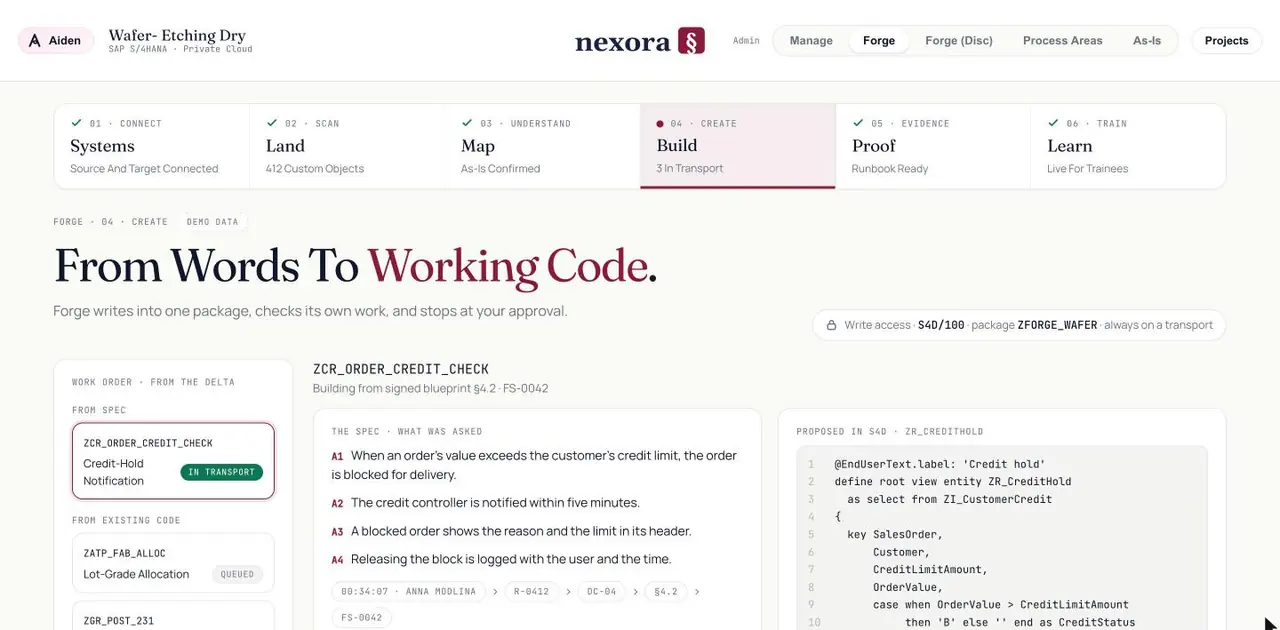
The spec names what was asked
Four criteria, each traced through requirement, ruling and blueprint section to the sentence someone said.
Built from the delta
Work orders come from what changed — new from spec, and what already exists in code.
It stops at your approval
Write access is scoped to one system, one package, and nothing activates without a person.
Evidence, not assurance.
What Forge did, in order, with the screenshots to show it. The failures stay in. Anyone can claim a green test run; Forge runs its tests against a deliberately broken build to prove they can fail — 18 of 18 caught it.
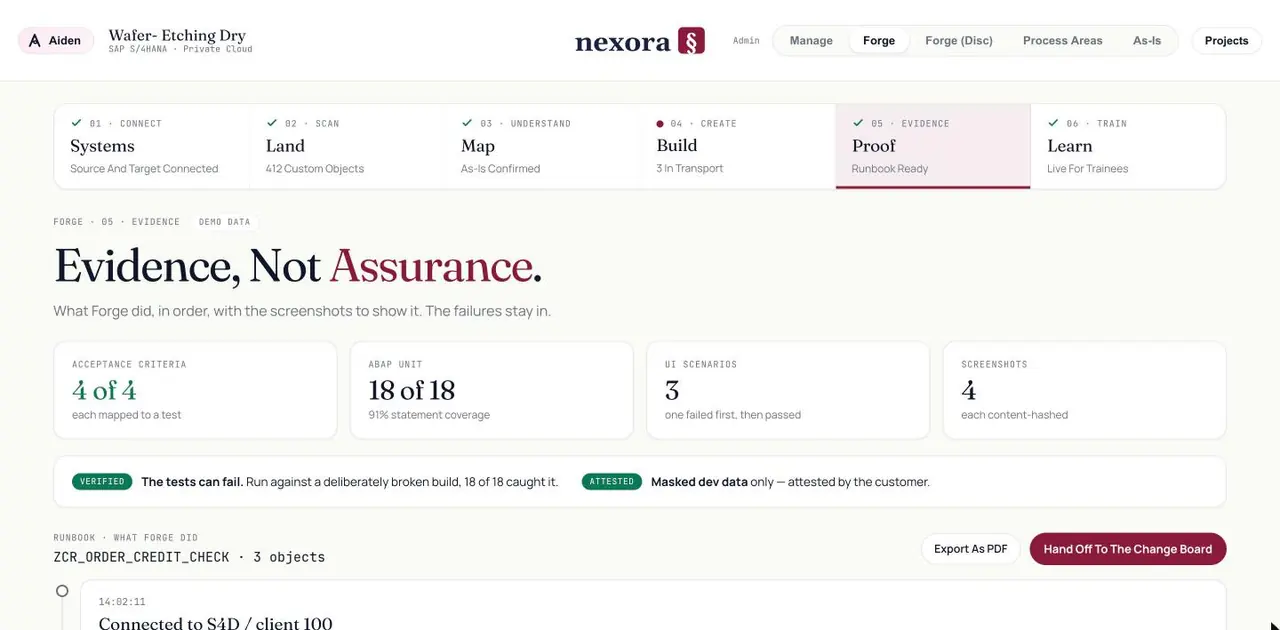
acceptance criteria, each mapped to a test
ABAP unit tests at 91% statement coverage
screenshots of the run, each content-hashed
The runbook exports as a PDF
Every step Forge took, timestamped, ready to hand to the change board as it stands.
Masked data, attested
Tests run on masked development data only, and the customer attests to it.
See how it actually works.
After the build is tested, Forge records the end-to-end journey once in the live system. New users walk through it — the final process, step by step, exactly as it runs in SAP, with the real screens rather than a slide about them. Training stops being a document written months before go-live and becomes a recording of the system you actually built.
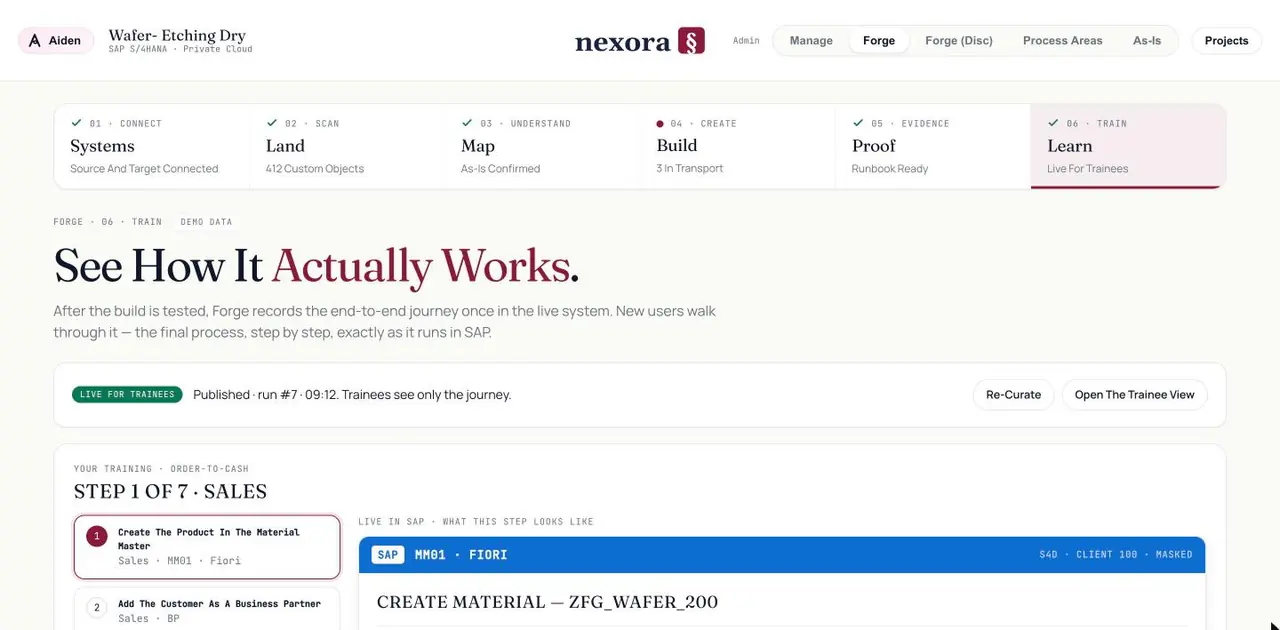
Recorded from the real system
Each step shows the actual transaction or Fiori app, on masked data.
Published, with a version
Trainees see only the journey. Re-curate it when the process changes.
The same record underneath
The training follows the process that was signed, so it cannot drift from the design.
Forge is a face of the record, not a separate tool.
The Brief rules on the process; Forge builds and proves the code; Manage tracks the work and the gates. A ruling made in Explore is the reason a line of code exists in Realize — and the reason a trainee sees the screen they see.